Mikrografika · Plug-in no. 1
Ember Press: Warm character compressor plug-in
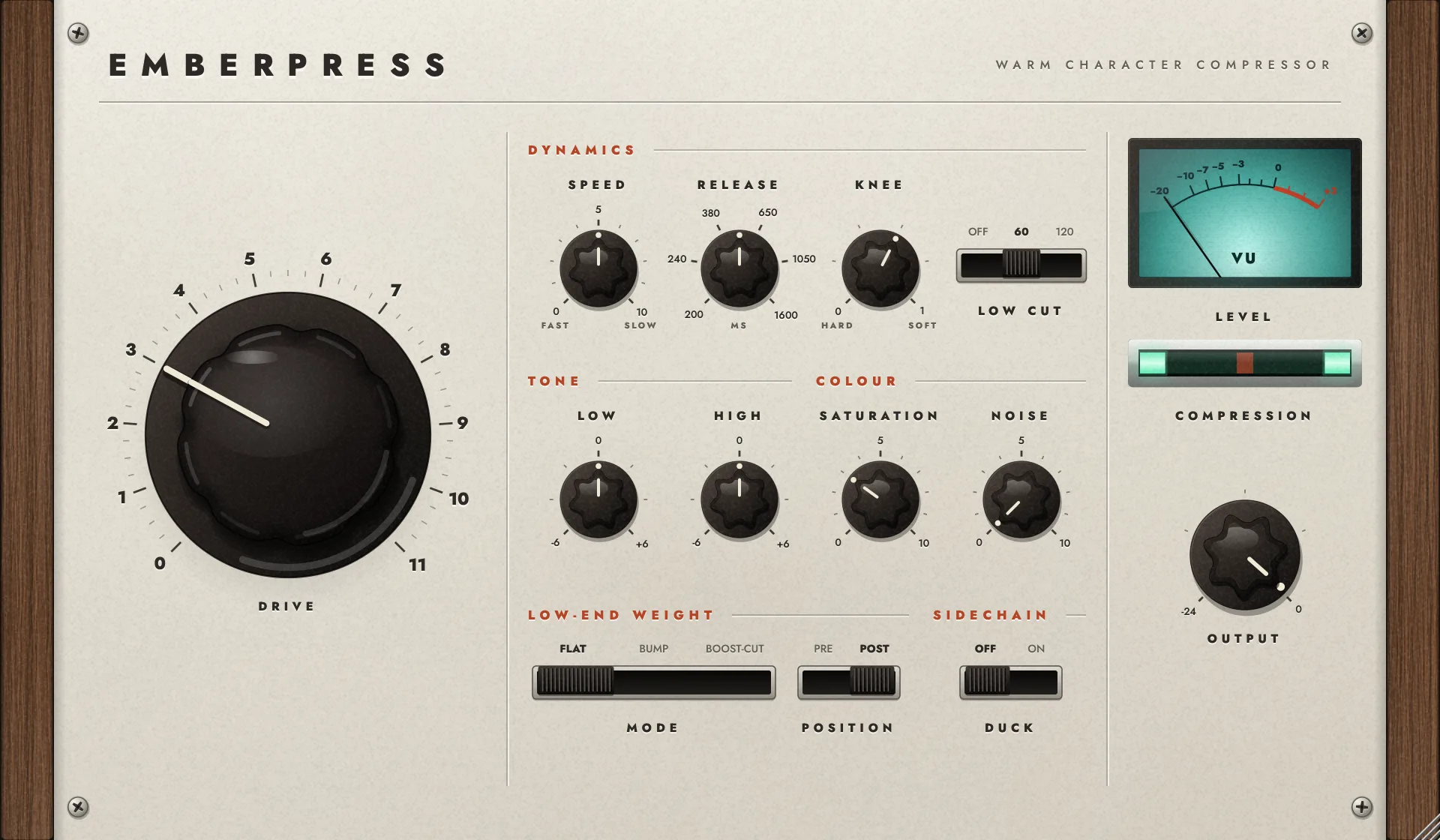
- It goes to 11
- 0 to 11
- Level-matched presets
- 30
- For Mac
- AU + VST3
- Launch price, then $29
- $12
What it does
Ember Press is a compressor with a personality. Put it on a drum bus, a vocal or a whole mix and turn one knob until it sounds like a record.
Drive does most of the work. Each step pushes harder into the compressor and adds a little more tape, while make-up gain keeps it loud, so you are always comparing like with like. Go gentle for glue and warmth, or all the way for squashed, pumping, saturated drums.
Everything else refines that: how fast it moves, how much tube and tape it adds, how much weight sits in the low end, and whether it ducks to your kick. A soft clip and a limiter at the end mean nothing ever goes over.
Before and after
Audio demos coming soon
A drum bus, a lead vocal and a full mix. Each one switches between before and after, and is level-matched so you hear colour, not volume.
On the panel
Drive
- One big knob, 0 to 11
- Turn it up and the sound gets warmer, tighter and louder together. Past the sweet spot, back it off a notch.
- Built-in make-up
- Level rises with Drive so the effect never gets quieter while you dial it in. Above 6 the top end eases down, like a hot tape.
Dynamics
- Speed
- One control for how quickly it grabs and lets go. Fast for snap, slow for a smooth glide.
- Release and Knee
- A slower second stage adds movement. Knee goes from a firm grip to a soft, rounded one.
- Low Cut
- Stops kick and bass from pushing the compressor around, so the low end stays full.
Tone and colour
- Low and High
- Simple shelves before the compressor to shape what it reacts to.
- Saturation
- Tube and tape together: thicker, rounder, with more weight in the middle.
- Hiss and hum that follow the music
- A faint bed of tape noise that comes in with the track and fades within two seconds of silence. Turn it up for more air and age.
Low end and groove
- Low-End Weight
- Bump adds a round, tape-style lift. Boost-Cut adds weight and clears mud. Put it before the compressor to make it pump with the kick, or after for pure tone.
- Duck
- Sidechain ducking for dance music: the track dips on every hit of your kick. Depth and Decay live on the back panel.
Safe and clear
- Soft clip and limiter
- Every peak stays under 0 dBFS, whatever you throw at it.
- Meters you can read
- A teal VU for level and a glowing level window where two bars close in as the compressor works harder.
- 30 level-matched presets
- Mix, drums, vocals and instruments, each matched to the bypassed level so you hear the colour, not the volume. Start with Ember Glow.
Turn it around
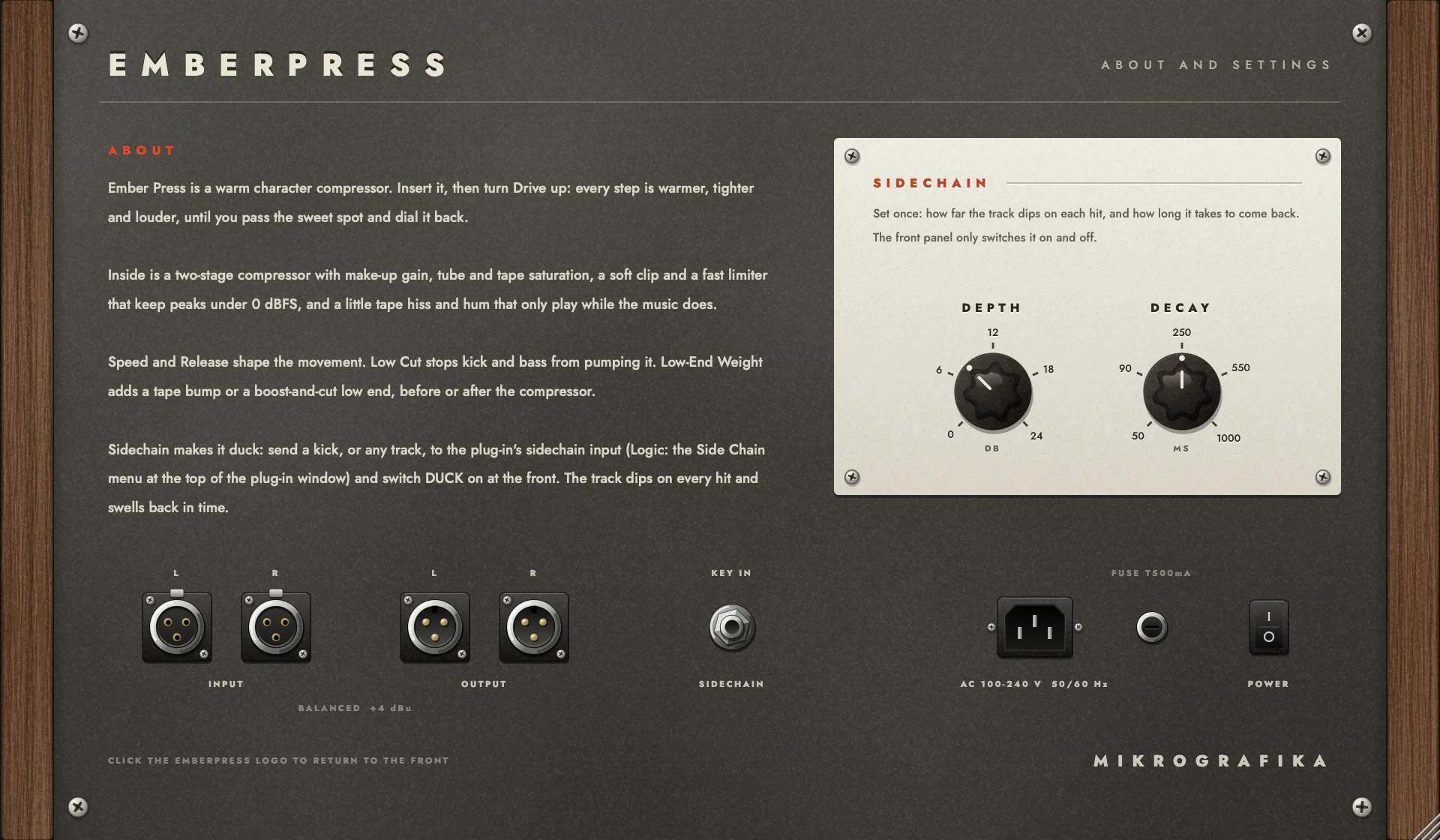
Click the name on the front panel and the unit turns around. Back here are the Duck controls: Depth for how far the track dips, Decay for how quickly it comes back.
Set them once for your tempo and forget about them.
Price
$12$29
Launch price, then $29. One payment, no subscription. AU and VST3 for Mac in one download.
Coming soon
System requirements
- System
- macOS 11 Big Sur or later
- Processors
- Apple silicon and Intel
- Formats
- Audio Unit (AU) and VST3, 64-bit
- Hosts
- Any Mac app that loads AU or VST3 plug-ins
- Channels
- Mono and stereo, with sidechain input for Duck
- Windows
- Planned for later. Join the list to hear when.
Questions
What is a character compressor?
A compressor evens out the loud and quiet parts of a sound. A character compressor also changes its tone on purpose, adding warmth, thickness and a little grit, the way old valve and tape gear did. Ember Press is built for that colour, not for invisible level control.
What does Ember Press sound like?
Warm, dense and forward. At low Drive it glues a mix or a vocal gently; turned up, it gives squashed, pumping, saturated drums with a soft top end, like a hot tape machine.
Is it good on a drum bus, vocals or the whole mix?
Yes to all three. The 30 presets are grouped into mix, drums, vocals and instruments, and every one is level-matched so you can hear what it adds.
Does it work in my DAW?
It works in any Mac app that loads Audio Unit (AU) or VST3 plug-ins, on Apple silicon and Intel, with macOS 11 or later.
Is there a Windows version?
Not yet. Windows is planned for later; join the waitlist to hear when it's ready.
How much does it cost?
$12 at launch, then $29. One payment, no subscription.
Want to hear how the old studios did it? Read what the old desks added to drums or why a vintage signal chain sounds warm.